In this section:
View change summary and redline in two-column format
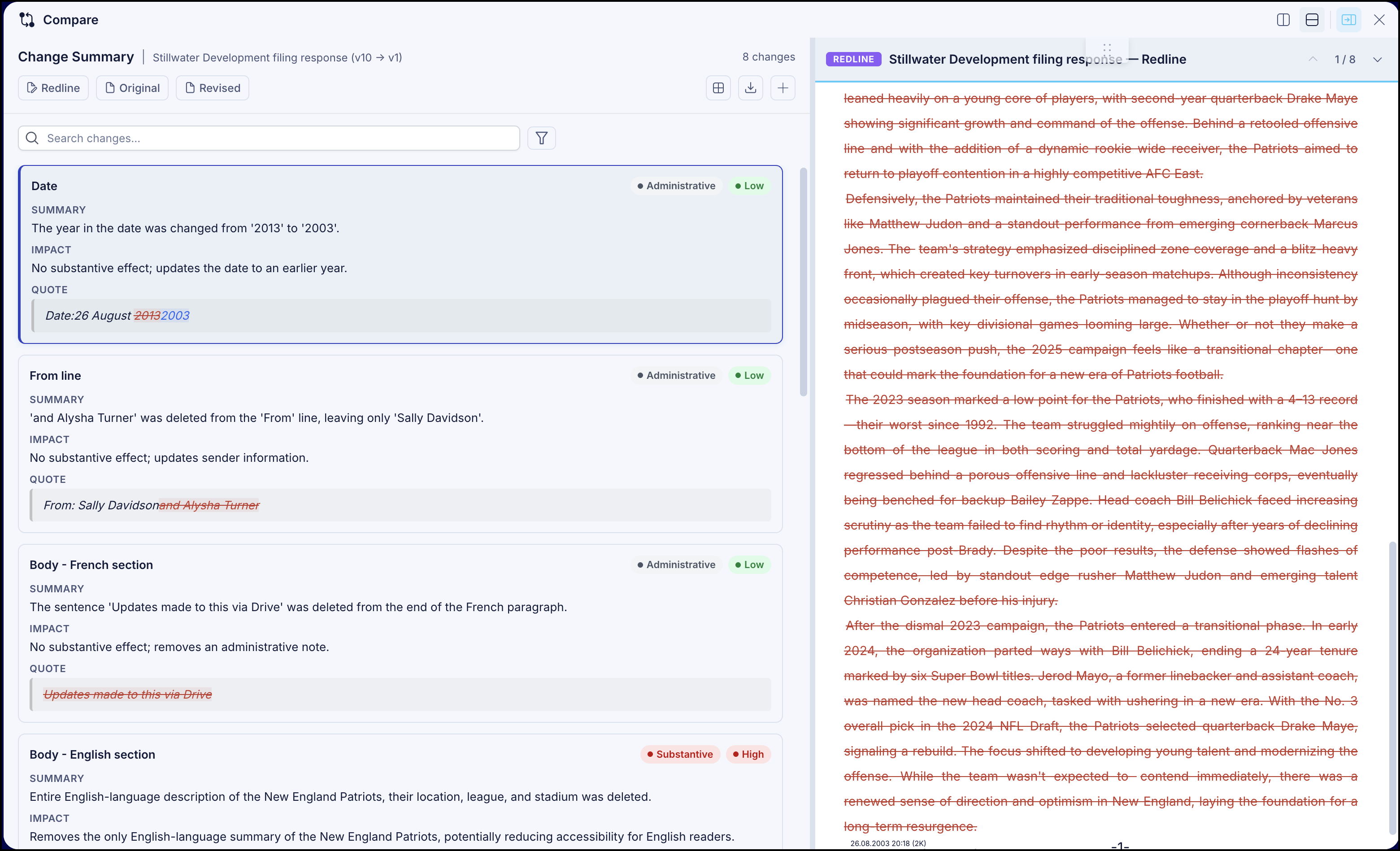
You can expand and view the redline analysis and change summary side-by-side by selecting Show expanded view. The change summary and redline analysis is displayed in a two-column view as shown in the following figure, by default.
View change summary and redline in two-row format
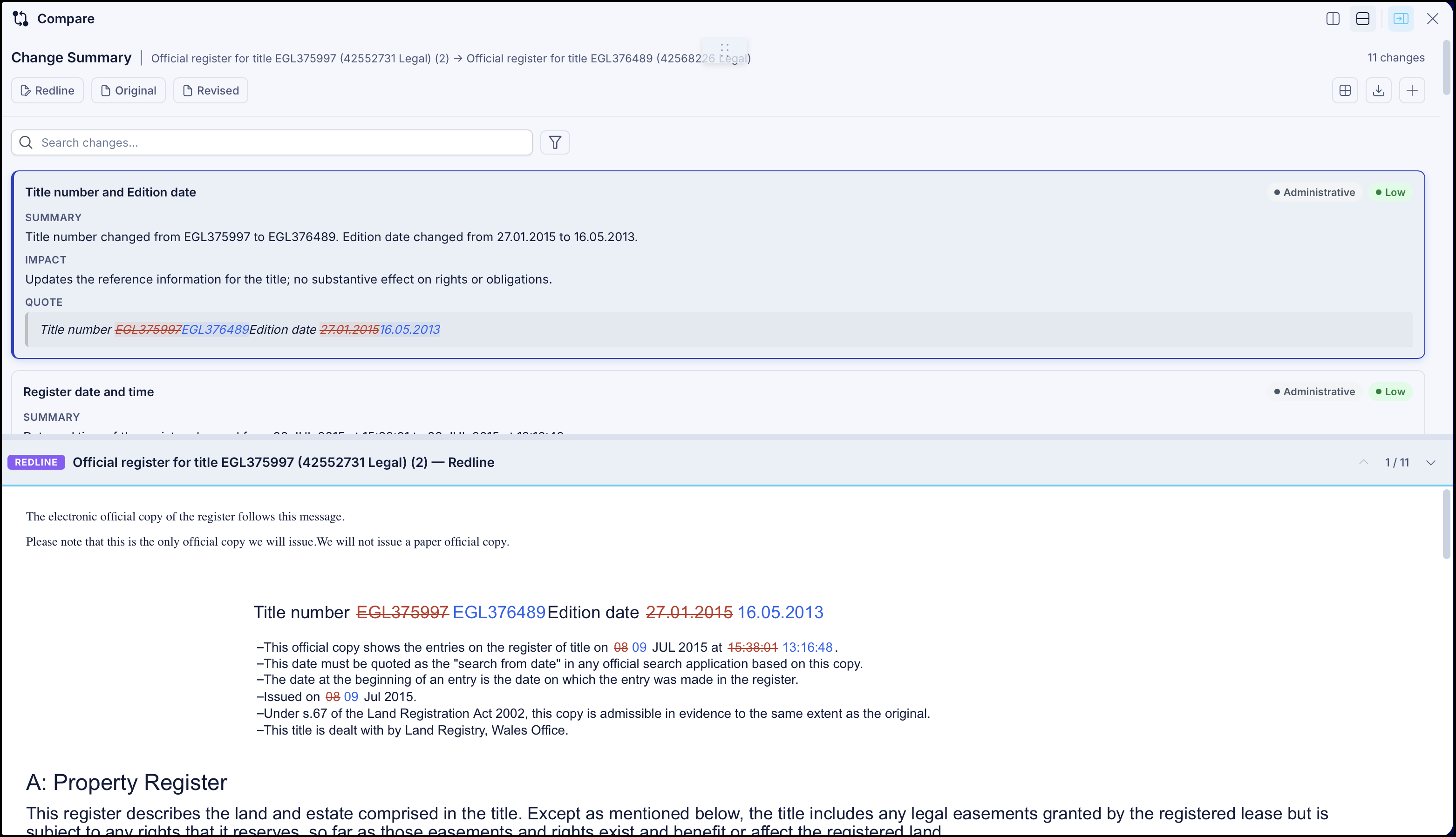
To view the change summary and redline analysis in a two-row format, select  Top and bottom option. The change summary and redline analysis is displayed in a two-row format view as shown in the following figure.
View change summary, redline, and original document together
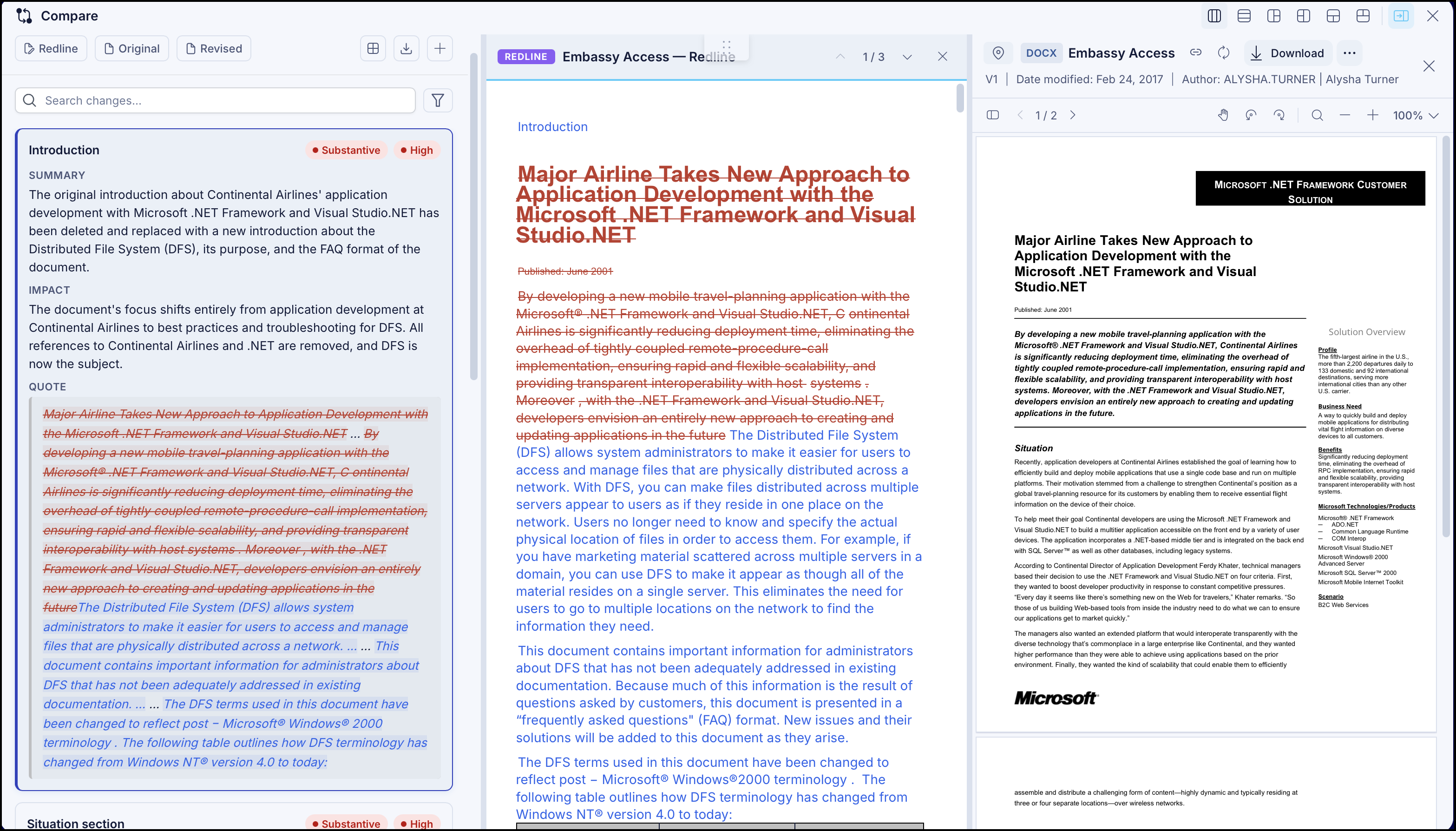
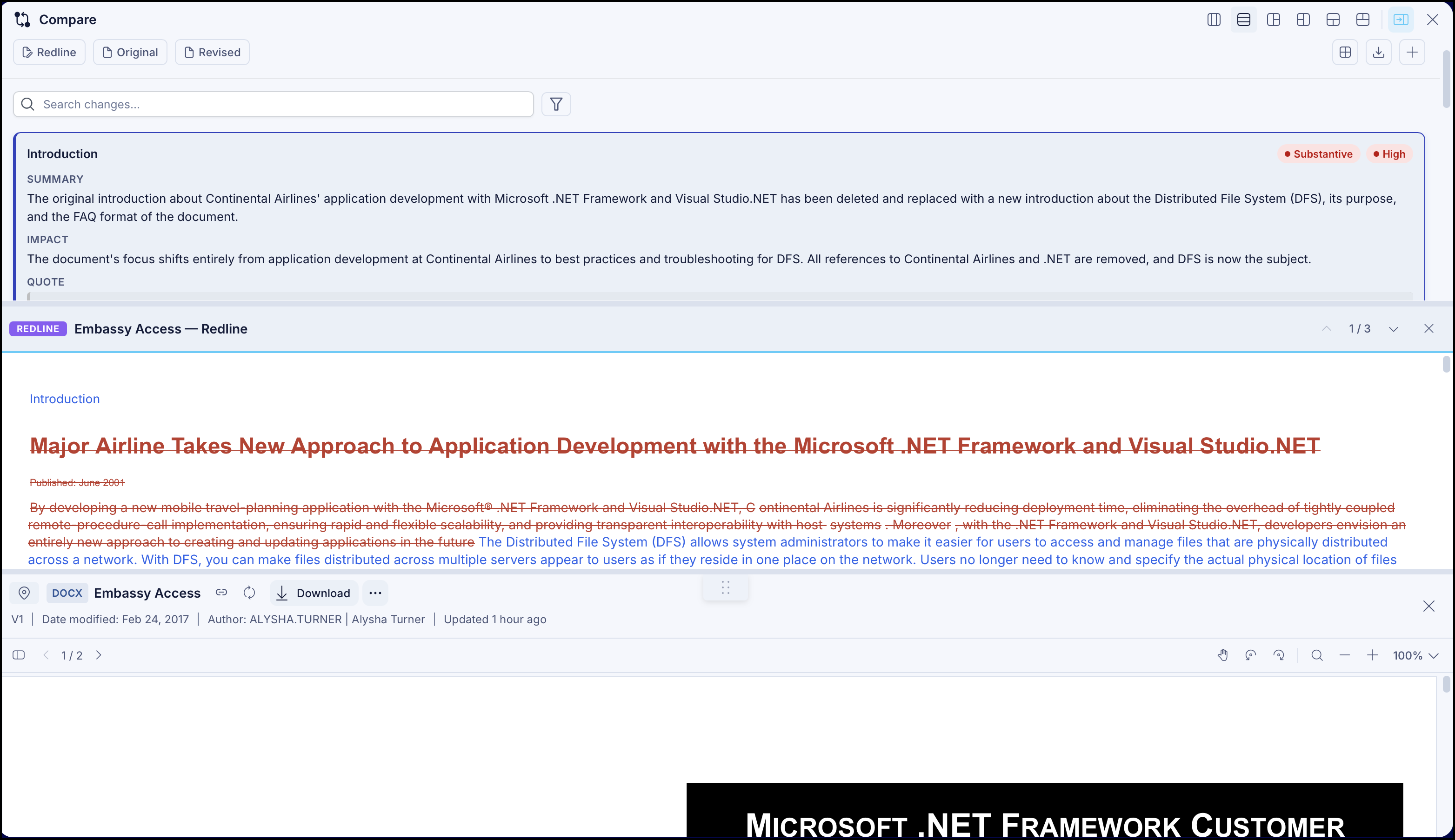
If you want to view change summary, redline, and original document together, select Original to open the original document.
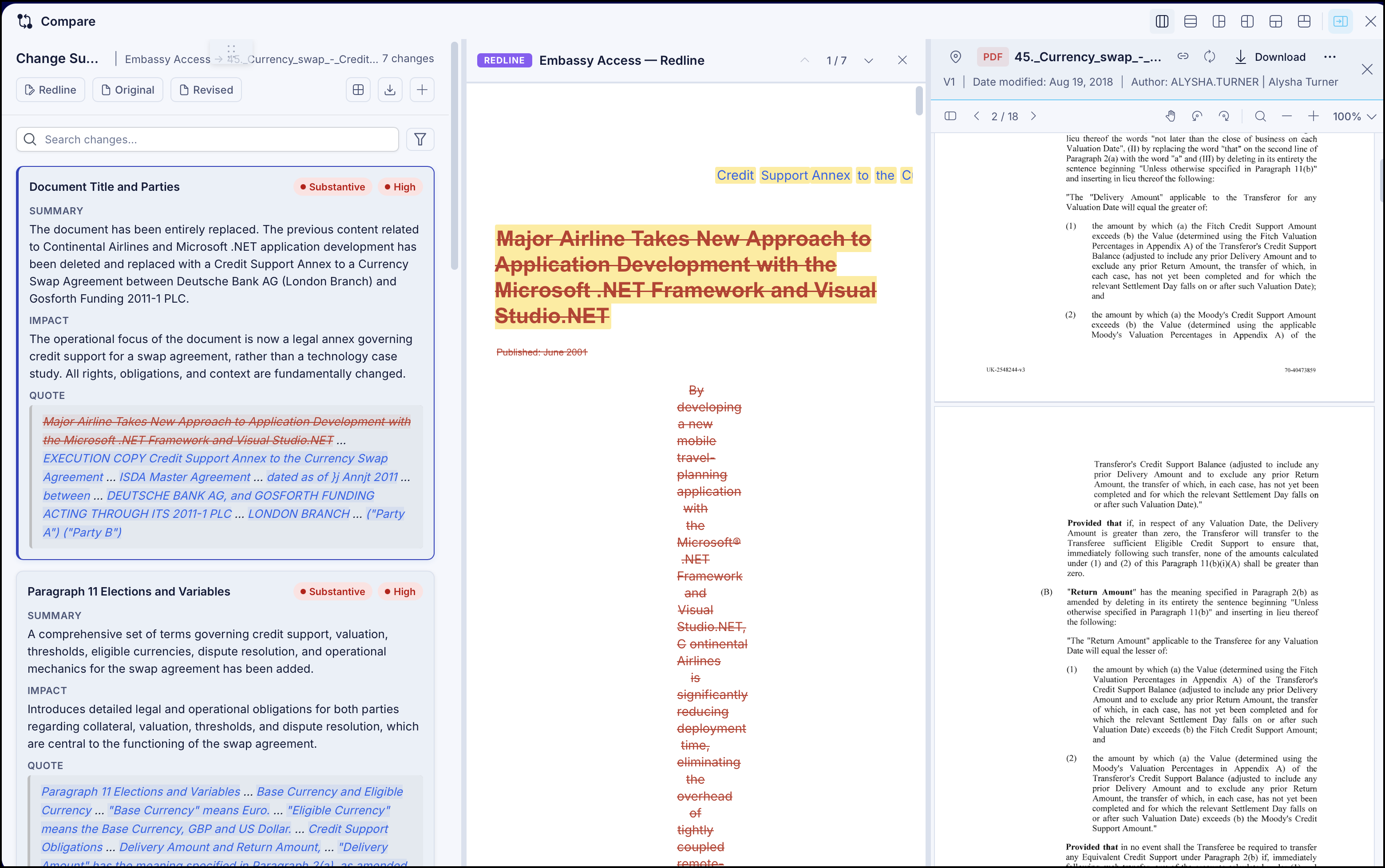
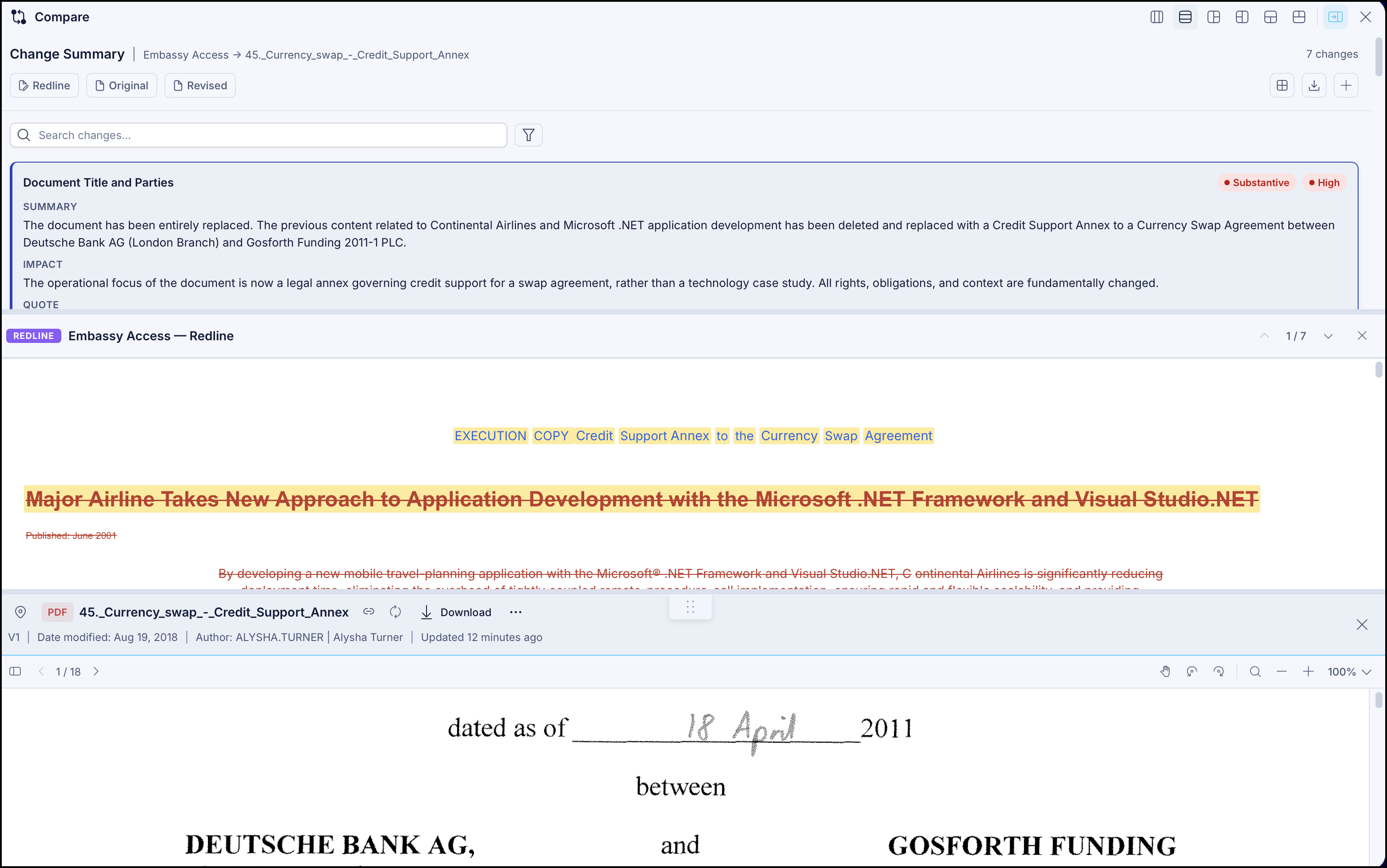
You can then view it in a three-column view or three-row view as shown in the following figures by selecting  Three columns or
  Three rows respectively in the toolbar.
View change summary, redline, and revised document together
If you want to view change summary, redline, and original document together, select Revised to open the revised document.
You can then view it in a three-column view or three-row view as shown in the following figures by selecting Three columns or Three rows respectively in the toolbar.
View change summary, original, and revised document together
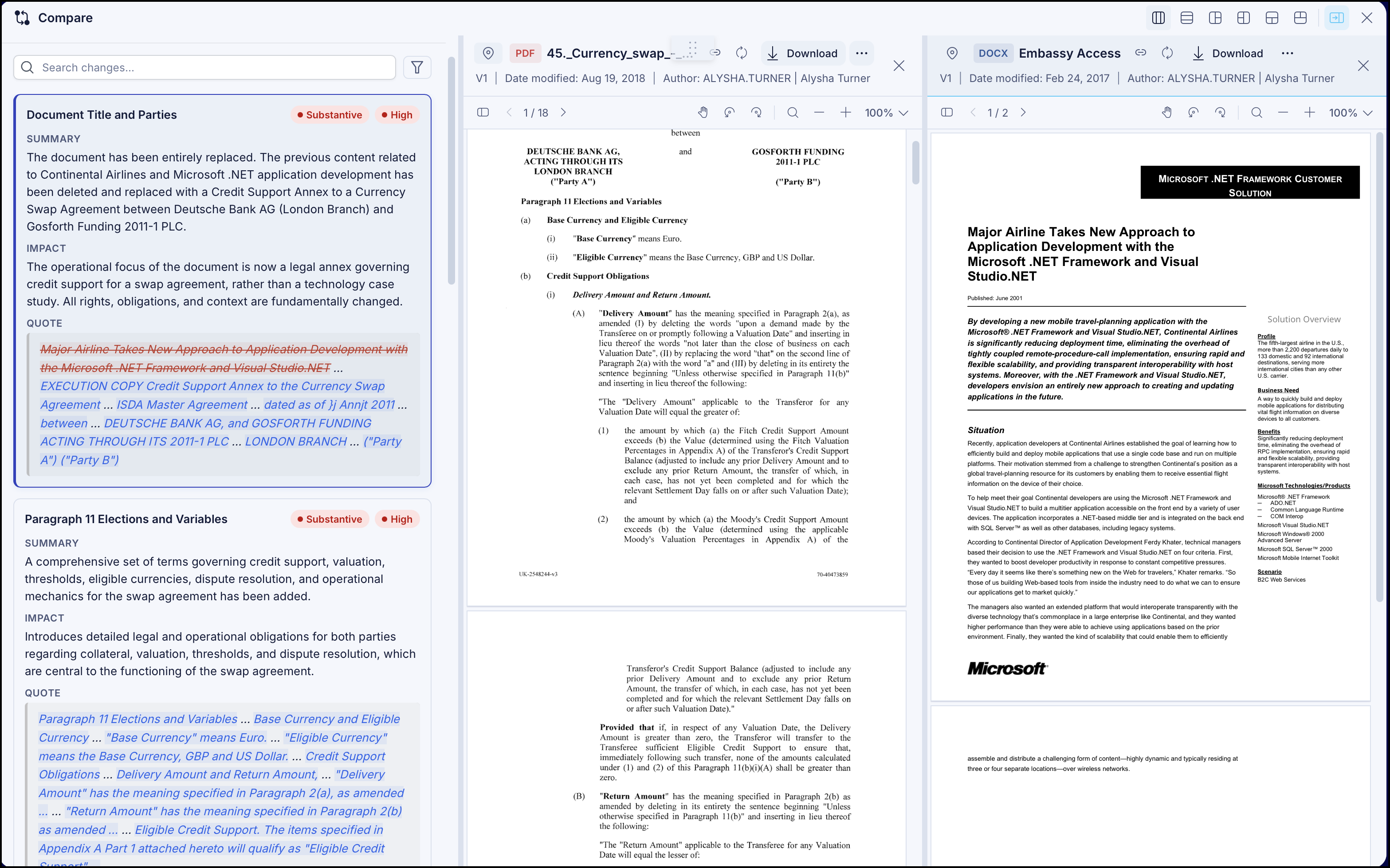
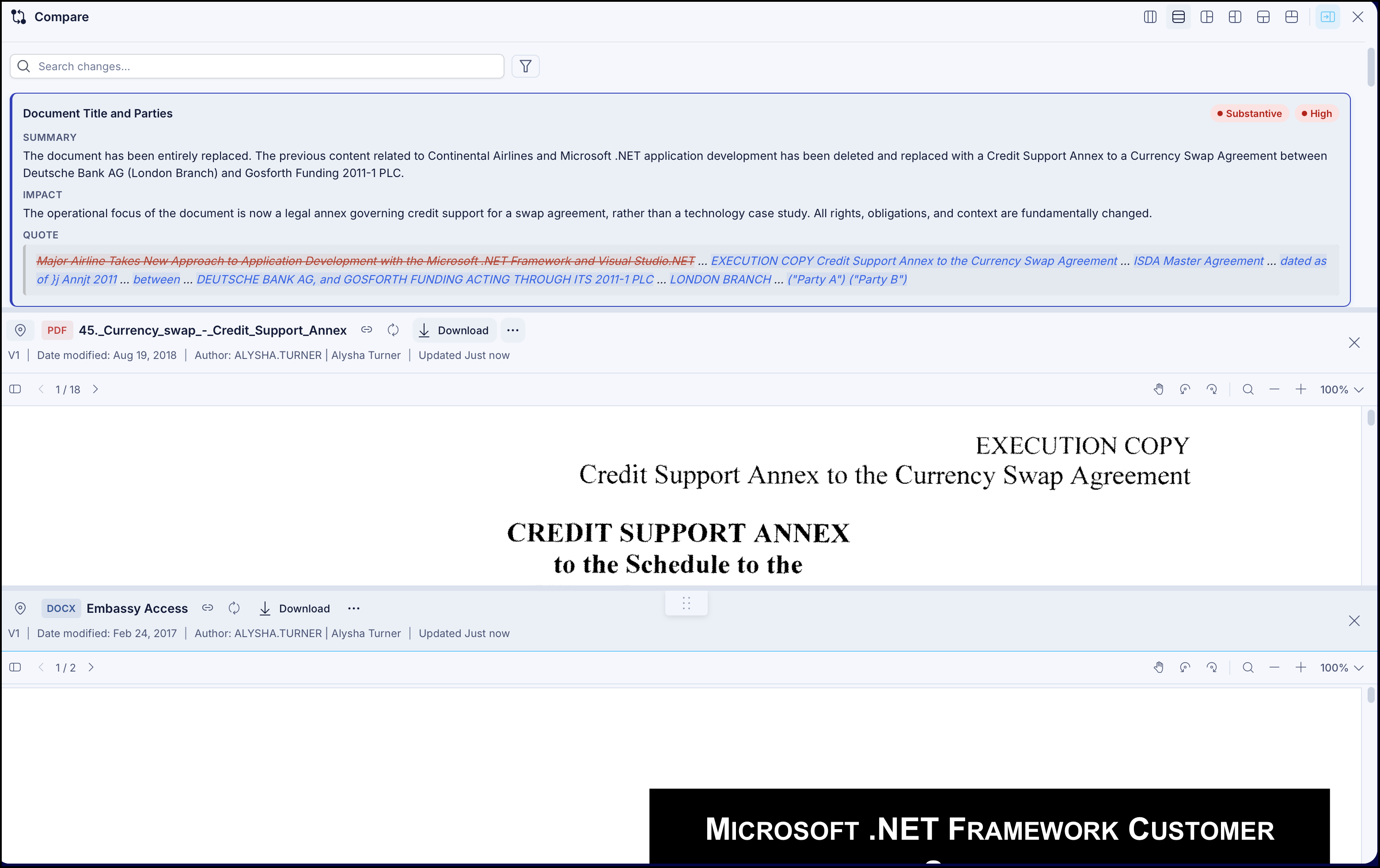
If you want to view change summary, original, and revised document together, close the redline document and select Original and Revised to open the original and revised documents.
You can then view it in a three-column view or three-row view as shown in the following figures by selecting Three columns or Three rows respectively in the toolbar.
NOTE: You can also view the summary in the following,  1-2 column split,
  2-1 column split,
  1-2 row split, and
  2-1 row split formats by selecting the relevant option in the toolbar. This is applicable when you want to view:
Change summary redline, or original documents together.
Change summary, redline, or revised documents together.
Change summary, original, or revised documents together