Storage Consumption details
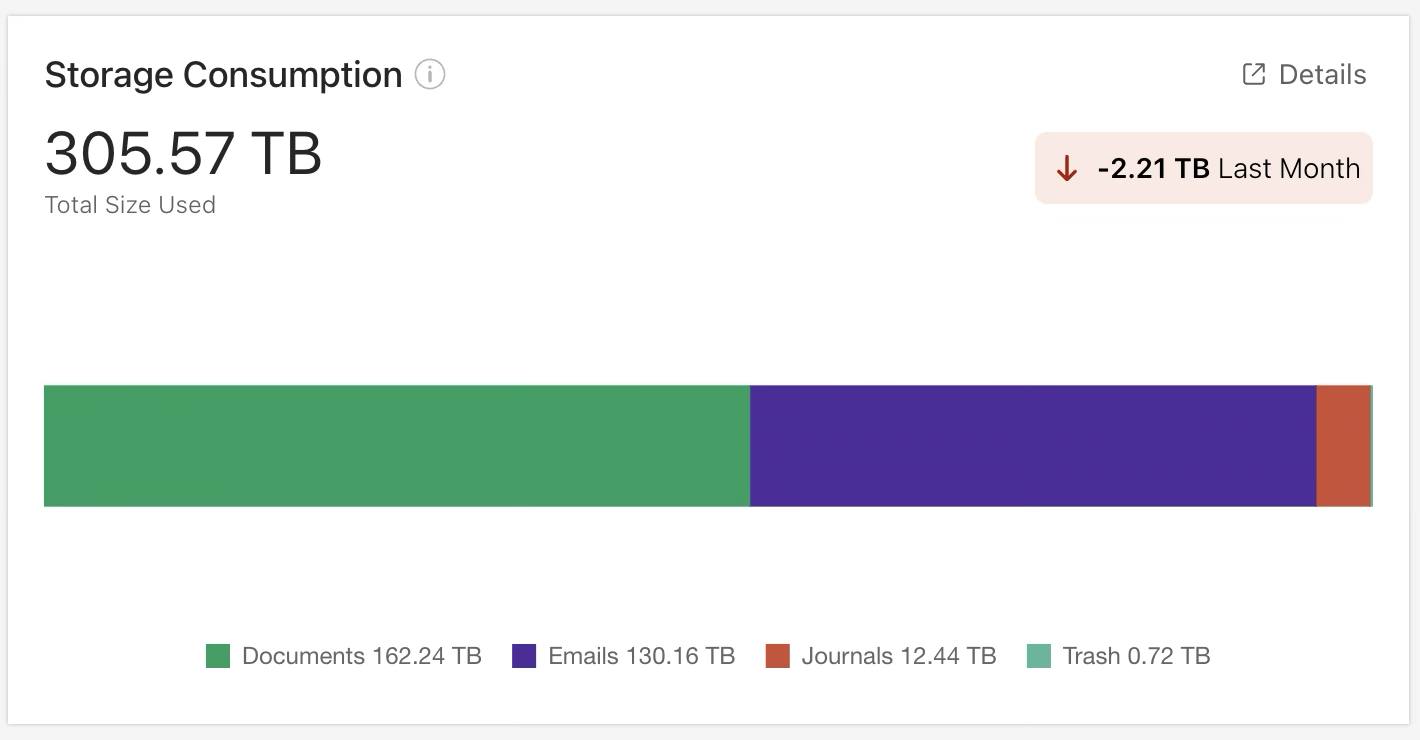
The Storage Consumption tile provides an overview of storage usage across your iManage Work environment. By default, it includes data from all iManage Work libraries and displays:
Total storage currently used
The increase or decrease in storage usage over the previous month
A stacked bar chart showing storage usage by category:
Documents
Emails
Journals
Trash
A legend showing the amount of storage used by each category
INFO: Storage consumption is calculated using binary (base-2) units following the International Electrotechnical Commission (IEC) standard.
An example of the Storage Consumption tile is shown in the figure below.
NOTES:
The Storage Consumption tile is displayed in the Storage, Content & Structure section and uses data from all iManage Work libraries. By default, it shows data for all libraries. To view data for one or more specific libraries, use the library selector in the Storage, Content & Structure section.
Storage values are based on a point-in-time snapshot taken within the past week.
Storage Consumption tile actions
In the Storage Consumption tile, you can:
Filter the storage consumption categories shown in the bar chart
Hover over a segment in the bar chart to see more details about a storage consumption category
Open another page to view a more detailed report about your storage consumption
For more information on these actions, refer to the sections below.
Filter Storage Consumption categories
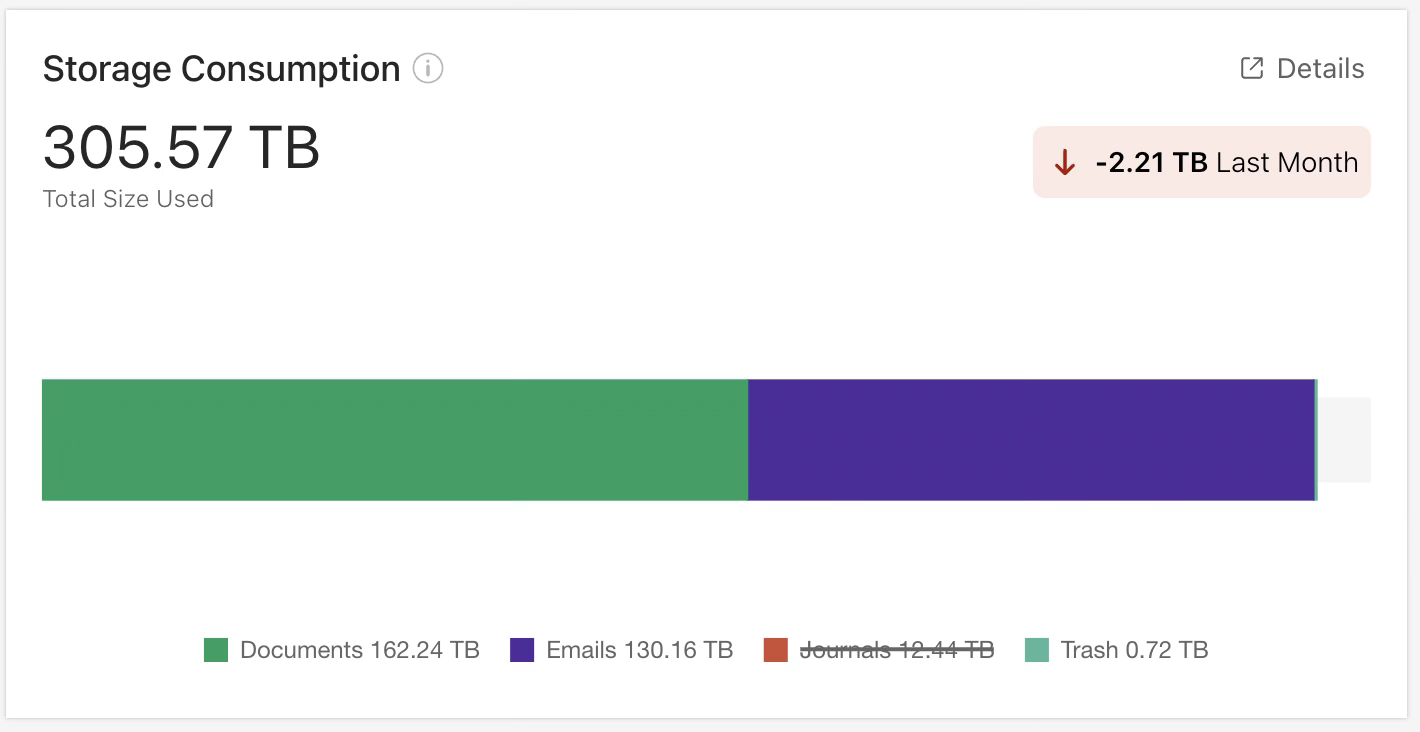
To filter the storage consumption categories shown in the bar chart, select one or more categories from the legend in the Storage Consumption tile. In the example below, the Journals category has been removed from the bar chart.
See more details about a category
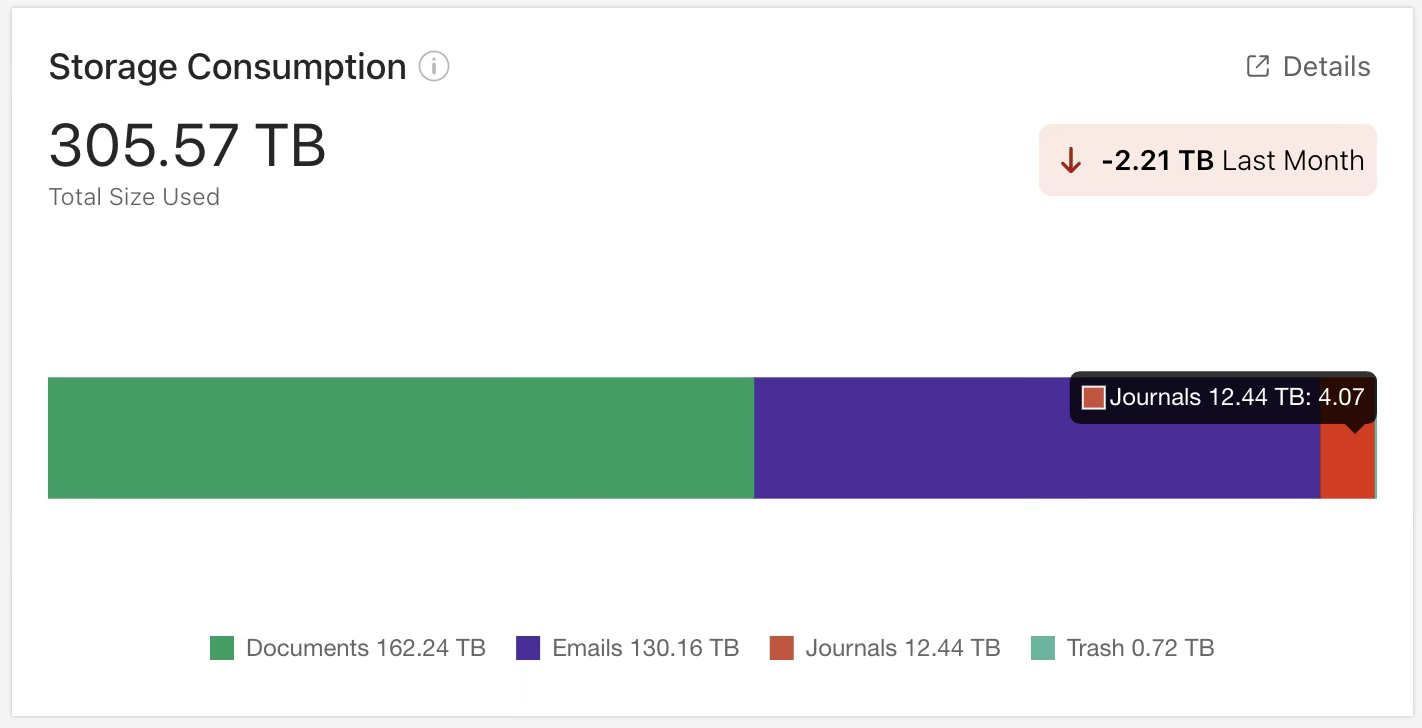
To see more details about a storage consumption category, hover over the corresponding segment in the bar chart of the Storage Consumption tile. In the example below, a pop-up dialog shows the amount of storage used and the percentage of total storage used for the Journals category.
View a more detailed report
To open a page that displays more details about your storage consumption, select the  Details icon in the Storage Consumption tile. For more information, refer to Storage Consumption Over Time report details.