Collaboration links functionality is enabled or disabled through the Document sharing feature setting on the Details tab of the Collaboration page.
To enable or disable the Document sharing feature, the user signed in to iManage Control Center must be assigned to a Global Management role which has the Upcoming Feature Management privilege. For more information, refer to Global privilege descriptions.
WARNING:
Enabling this feature can take up to eight hours to replicate globally. We recommend waiting eight hours after you first enable it before proceeding with further configuration using the steps in this document.
Trying to use the feature during this period could result in unexpected errors or inconsistent behavior.
Enable collaboration links
In iManage Control Center, browse to Settings > Collaboration.
Select the Details tab.
Figure: Collaboration page - Details tab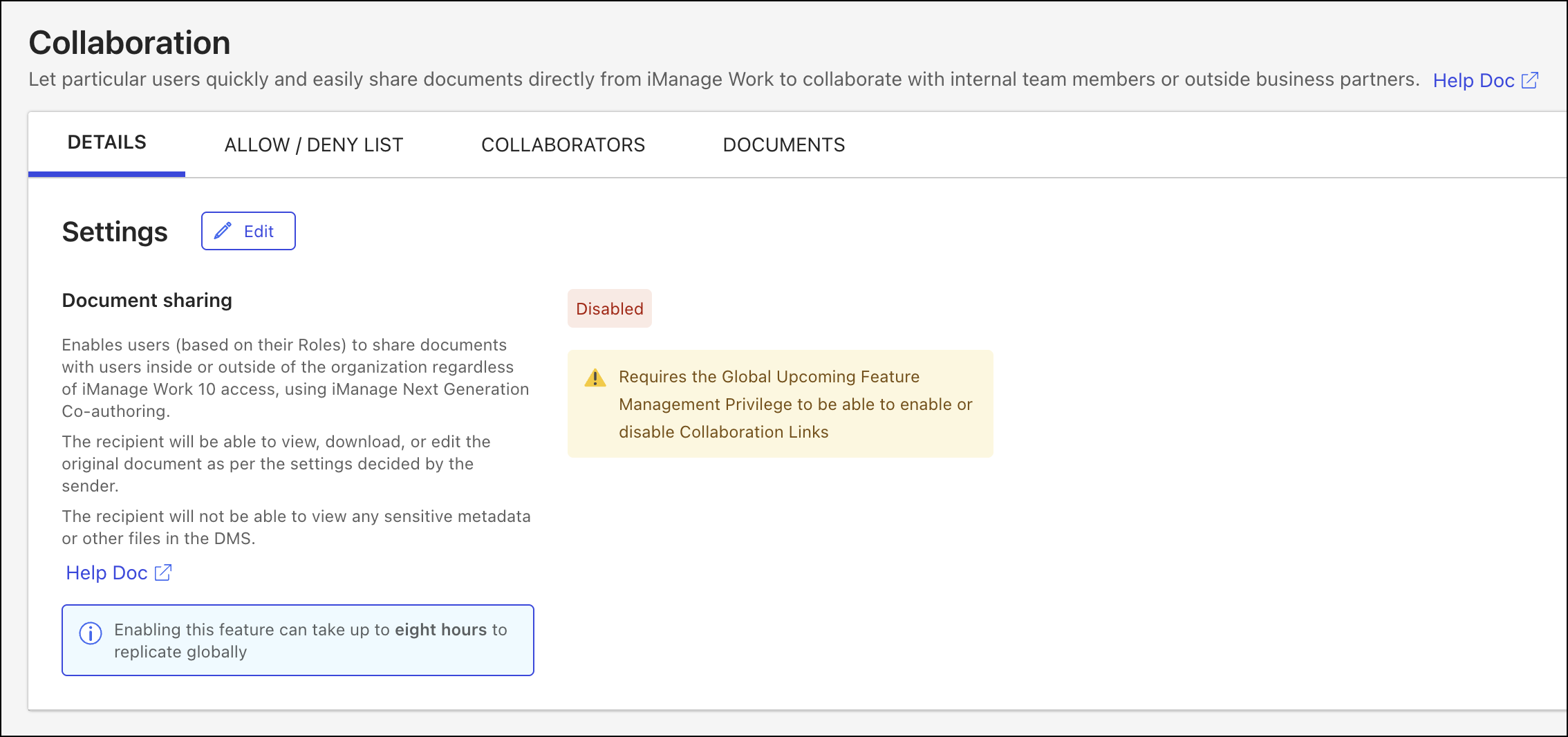
In the Settings section of the Details tab, select Edit.
NOTE: The Edit button in the Settings section of the Details tab is visible only to users assigned to a Global Management role with the Upcoming Feature Management privilege.
In the Document sharing dialog, set the Status toggle to Enabled.
Figure: Document sharing dialog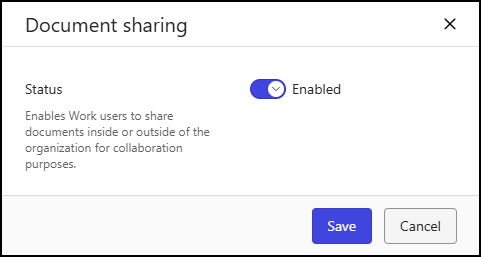
Select Save.
Disable collaboration links
In iManage Control Center, browse to Settings > Collaboration.
Select the Details tab.
Figure: Collaboration page - Details tab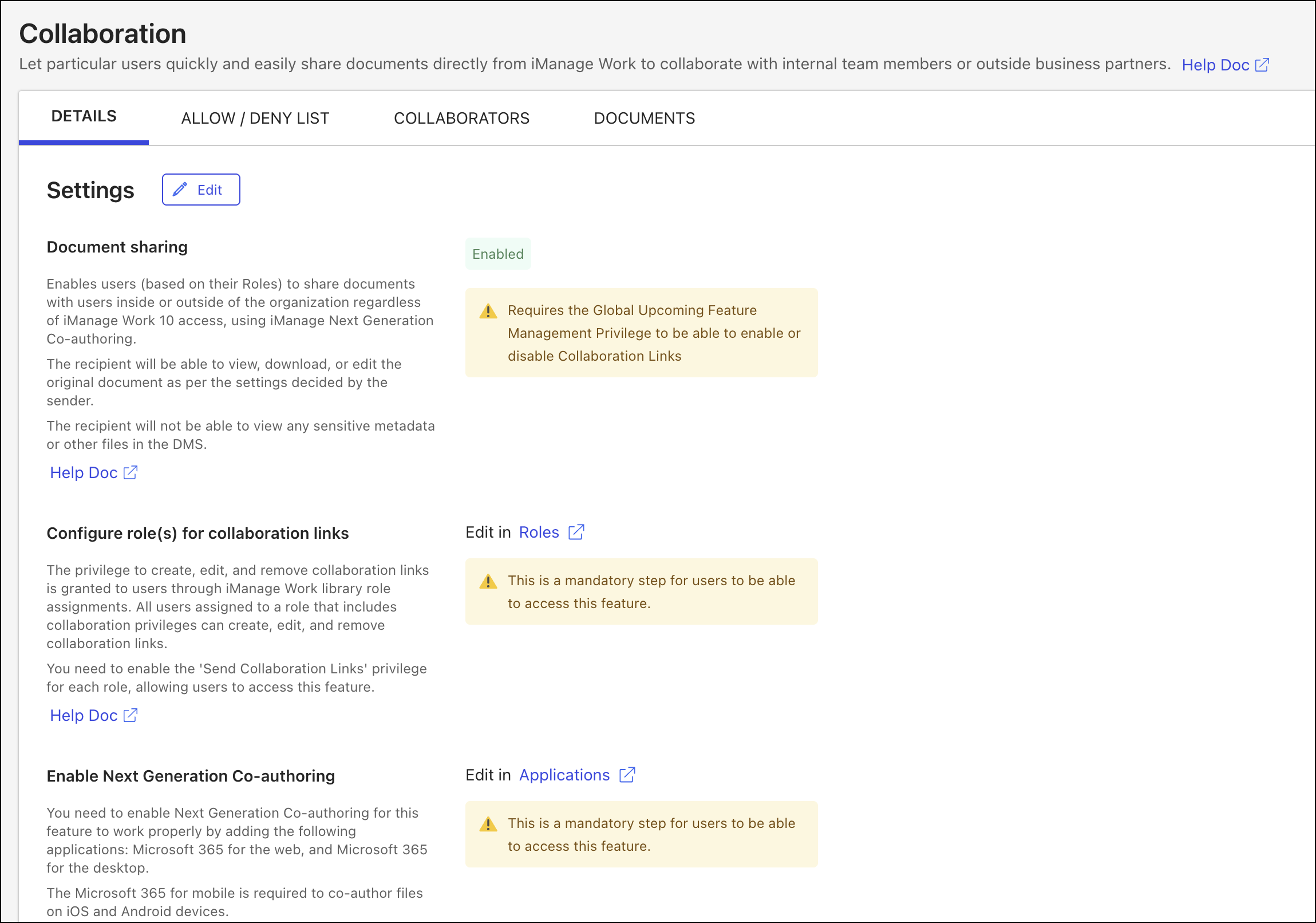
In the Settings section of the Details tab, select Edit.
NOTE: The Edit button in the Settings section of the Details tab is visible only to users assigned to a Global Management role with the Upcoming Feature Management privilege.
In the Document sharing dialog, set the Status toggle to Disabled.
Figure: Document sharing dialog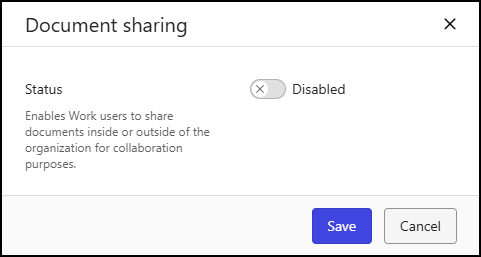
Select Save.
NOTES:
When the feature is disabled, the Collaborators table remains available so you can view who’s been invited to collaborate. However, the options to allow and block library access are disabled, and the following banner message is displayed at the top of the Collaborators tab:
“Collaboration is disabled on <LibraryName> library. These collaborators no longer have access to collaboration links.”
You can also remove collaboration link privileges from roles through iManage Work library role assignments. For more information, refer to Revoke collaboration privileges.