As an iManage Insight+ administrator for your organization, you can manage the application to not receive Customer Analytics data from iManage Insight+ by opting out of receiving the analytics data.
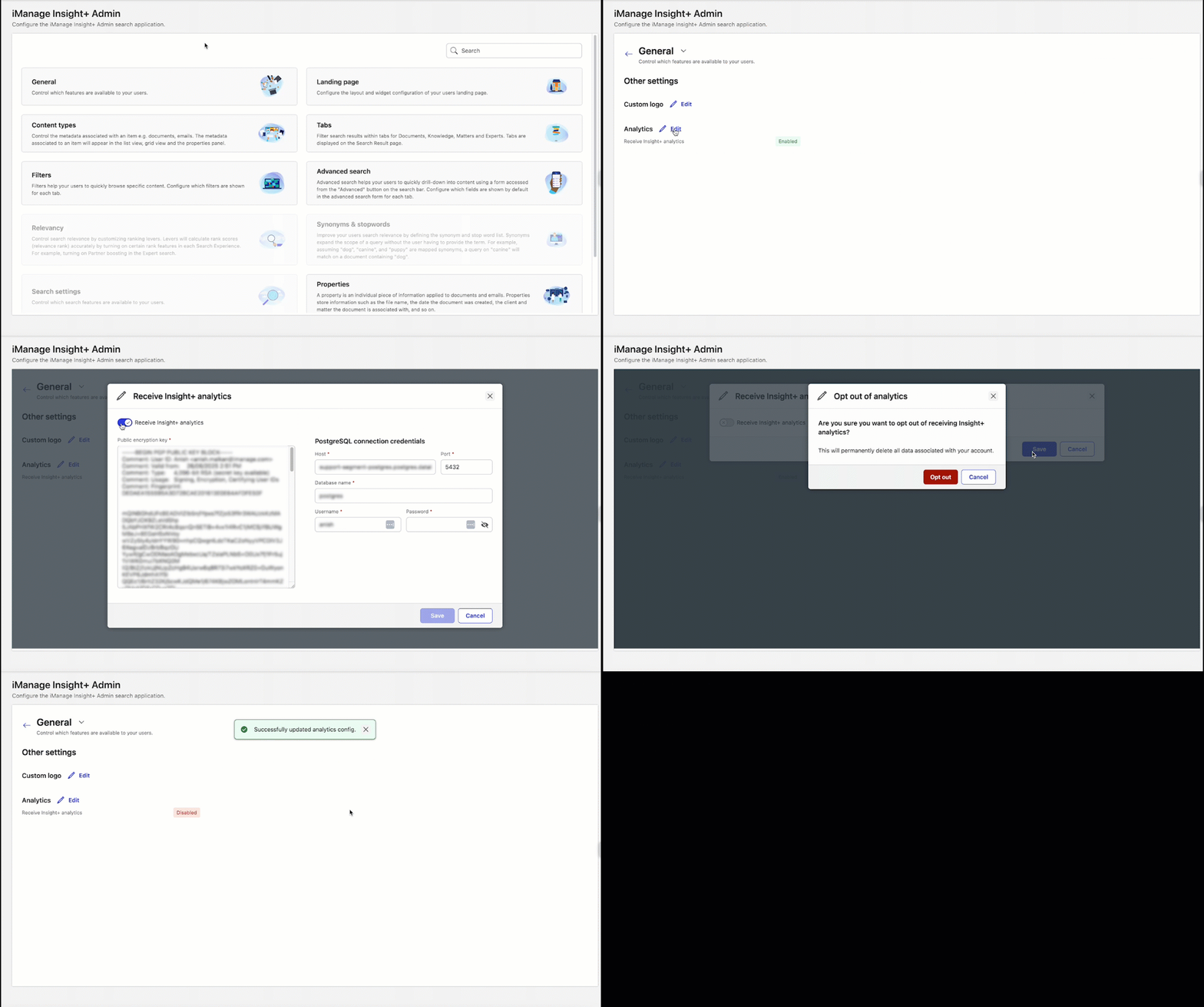
On the iManage Insight+ Admin page, select General.
Next to Analytics, select Edit.
To opt out of receiving the Insight+ analytics, toggle the Receive Insight+ analytics slider to the left.
Select Save.
After the opting out of Receive Insight+ analytics settings are saved, the Opt out of analytics dialog displays the following message:
”Are you sure you want to opt out of receiving Insight+ analytics?
This will permanently delete all data associated with your account.”Select Opt out. The following message is displayed:
”Successfully updated analytics config.”
NOTE: Even after opting out of receiving the analytics, iManage Insight+ will continue to have access to Group A non-sensitive data, and any Search Term Data, enabled in iManage Control Center. For more information about enabling Search Term Data, refer to Enabling Search Term Usage Analytics.