As an iManage Insight+ administrator in your organization, you can enable Analytics in iManage Insight+ Admin application to receive Insight+ Customer Analytics.
Enabling and configuring Analytics
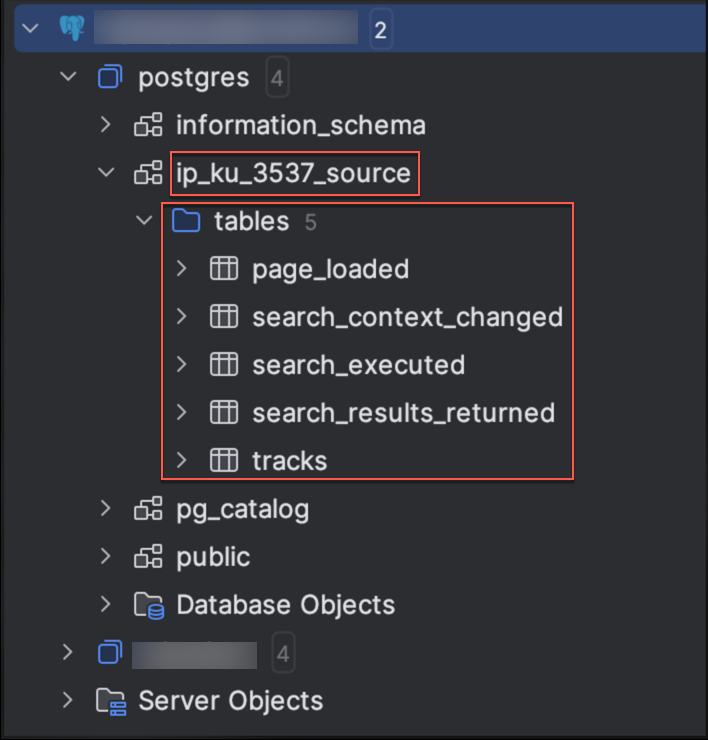
On the iManage Insight+ Admin page, select General.
Next to Analytics, select Edit.
To enable, toggle the Receive Insight+ analytics slider to the right.
Enter details in the following mandatory fields:
Public encryption key: For more information about how to generate a Pretty Good Privacy (PGP) key, refer to generate a PGP key.
PostgreSQL connection credentials: Update the following fields.
Host
Port
Database name
Username
Password
NOTE: After updating the public PGP encryption key in Insight+ Admin Control Center, allow a 10-minute window for the new key to take effect. This will ensure seamless decryption of all event data.
Select Save.
After Receive Insight+ analytics settings are saved, the following message is displayed:
”Successfully updated analytics config.”
Event data storage
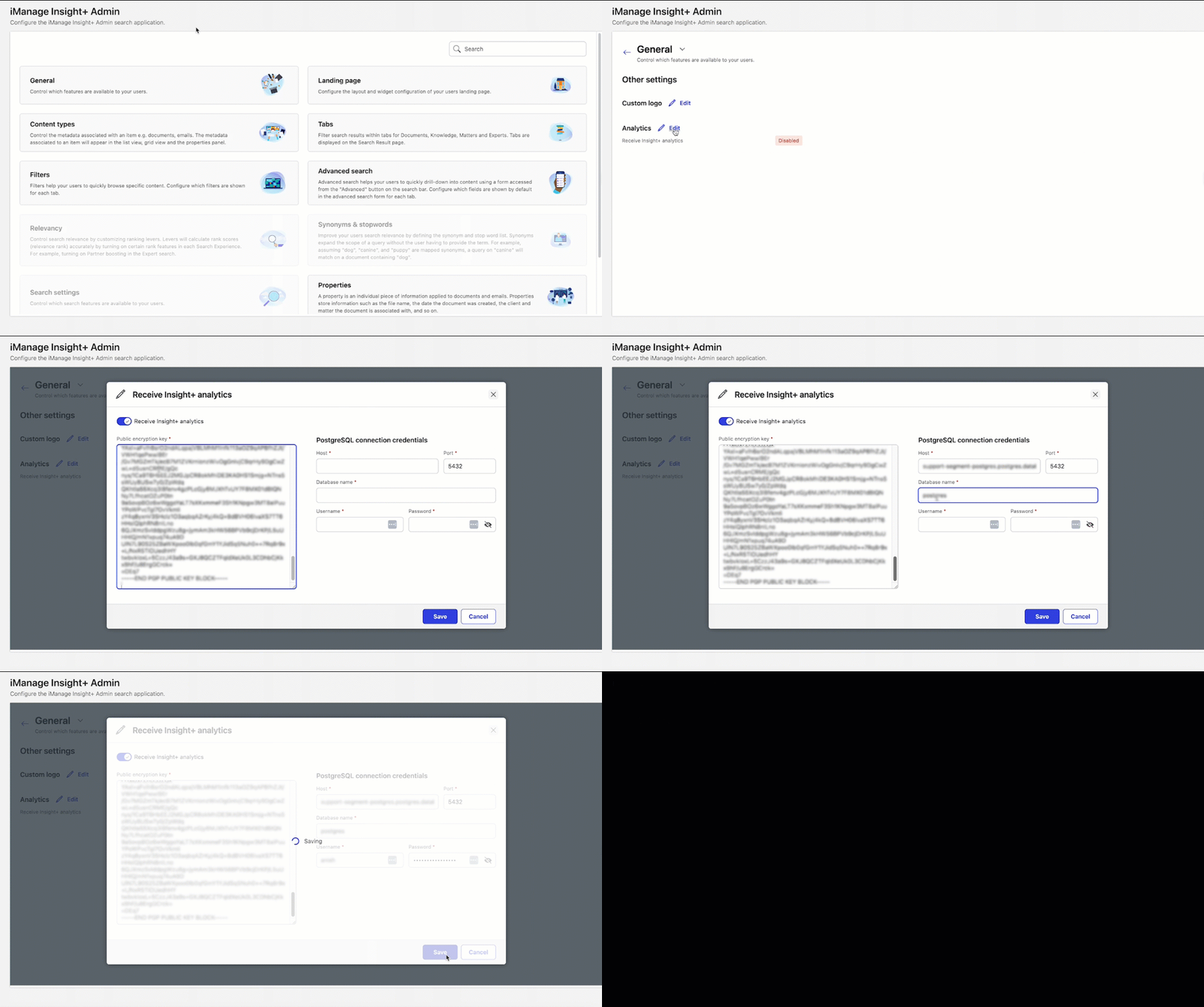
After opting in for analytics, the processed analytics data events are stored in a dedicated schema structure, and are synced from Segment to your organization's configured PostgreSQL database, which gets created automatically after the first sync.
NOTE: The collected event data takes a minimum of an hour to get synchronized before it gets reflected in your database. Thereafter, synchronizing the data every hour.
Each tenant’s analytics data is stored in a dedicated schema structured as ip_<ku_tenant-id>_source where,
ku_ is the prefix
tenant-id is the customer’s numeric ID