Document upload details
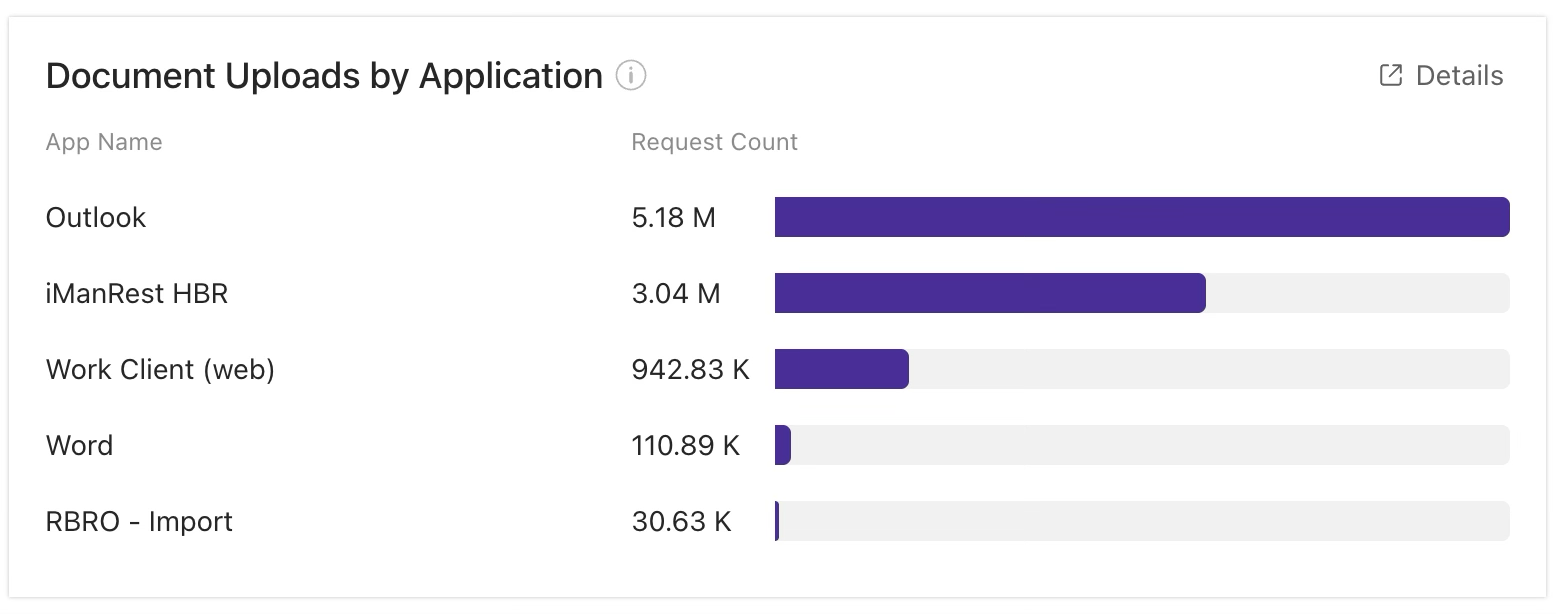
The Document Uploads by Application tile shows the number of document upload requests for the top five most-used applications and includes a bar chart that depicts the number of document upload requests for each of these applications.
An example of the Document Uploads by Application tile is shown in the figure below.
NOTES:
Data is collected from all of your iManage Work libraries.
The Document Uploads by Application tile is displayed in the Application Activity section. This section is updated daily and shows data for the previous 30 days by default. To change the reporting period for the section, select one of these preset ranges:
1d: Previous day
7d: Previous 7 days
30d: Previous 30 days
Document upload tile actions
In the Document Uploads by Application tile, you can:
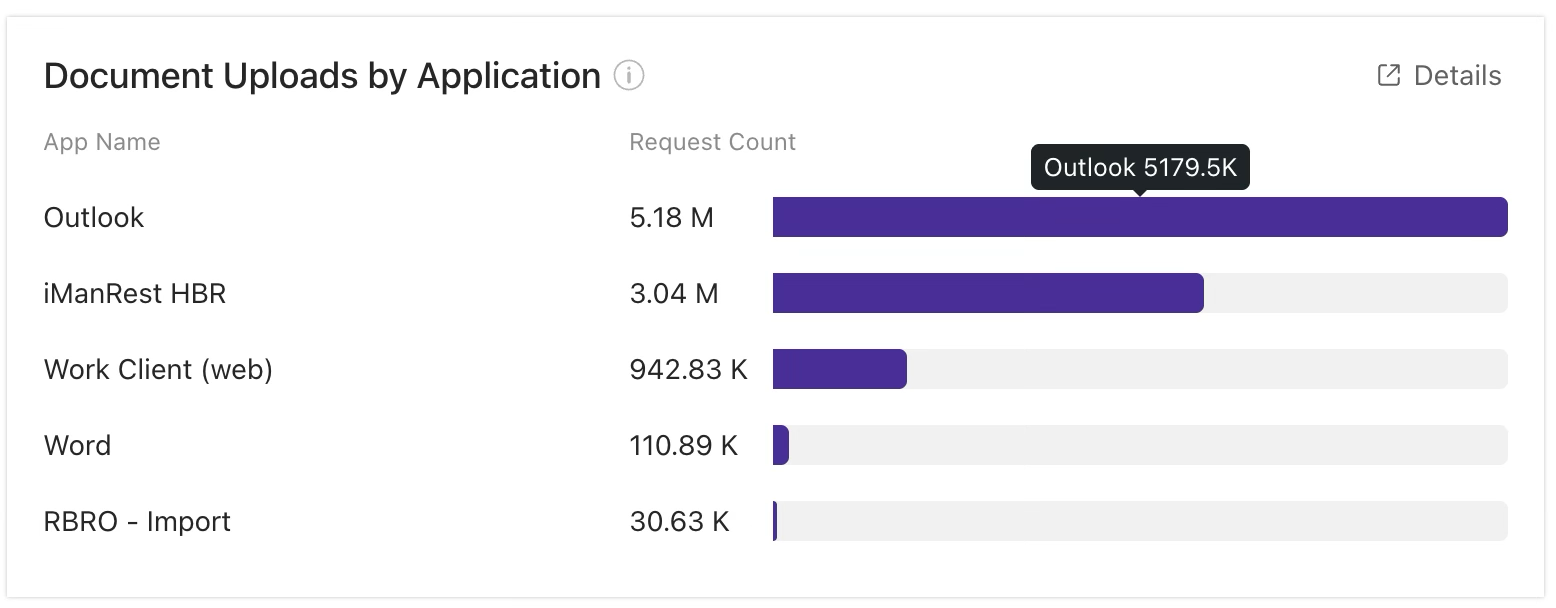
Hover over a segment in the bar chart to see more details about an application
Open another page to view a more detailed report about the applications in use
For more information on these actions, refer to the sections below.
See more details about an application
To see more details about an application, hover over the corresponding segment in the bar chart of the Document Uploads by Application tile. In the example below, a pop-up dialog shows the number of document upload requests for the Everyone Visualizer application.
To open a page that displays more details about the applications with document upload requests, select the  icon in the Document Uploads by Application tile. For more information, refer to Document Uploads by Application report details.