As an administrator, after you have completed all configuration steps, you can create the Knowledge Collection.
Sign in to iManage Insight+.
Select the Collections tab.
Select New Collection.

In the New Collection dialog:
Enter a name for the collection in the Name field.
NOTE: Knowledge Collection names don't need to be unique, meaning two or more Knowledge Collections can have the same name. However, we recommend using a unique and descriptive name for each collection to help users easily identify and understand its content.Select a library from the Library drop-down list.
Optionally, enter a description in the Description field.
Select the Open for editing after saving checkbox if you want the collection to open for editing after you save it.
Select Save.
Figure: New Collection dialog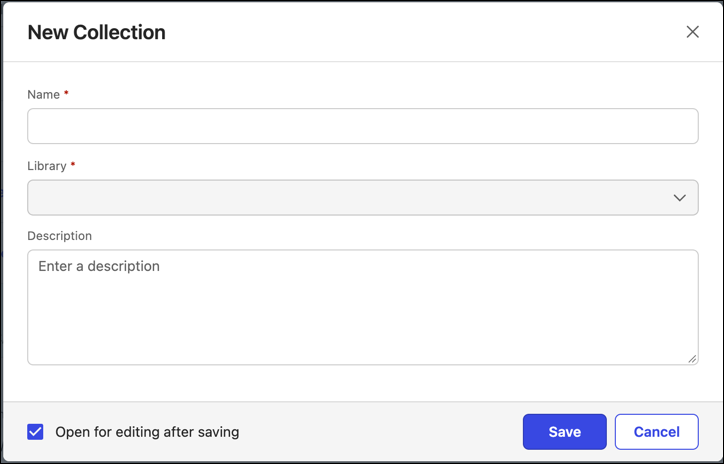
This section covers the following topics: